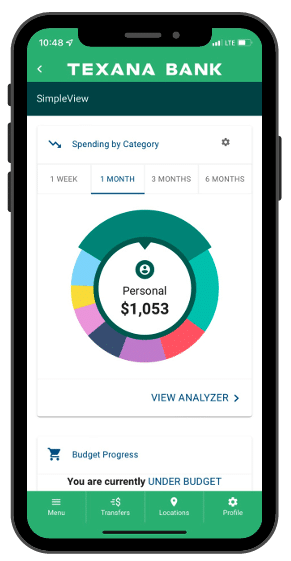
With our Personal Finance Manager tool you will be provided a complete analysis of your financial journey. Helping you better understand your spending habits, savings, and budget goals. Best of all, it’s easy to use. You do not need to download or install any app. If you have a Texana Bank account, and are enrolled in online banking, you can easily access these valuable features and benefits.
Mobile Banking app:
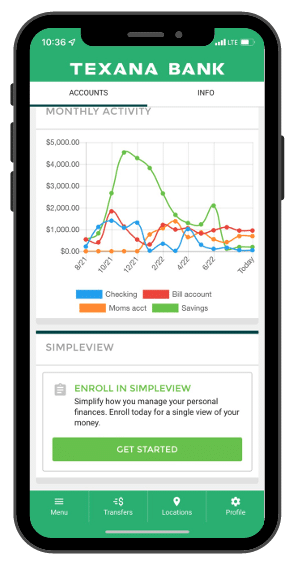
Log into your Texana Mobile Banking app.
Select your account and scroll down to the SimpleView section.
Tap on Get Started.
Desktop:
Log Into your Online Banking account.
Scroll down on your Accounts Overview page until you see the SimpleView section.
Click on “Get Started”.
PERSONAL FINANCE OVERVIEW
Budgets:
Setting budgets helps keep you on track with your saving and spending.
Scroll to the Budgets tab.
Click the Add Budget button.
Choose which tags you’d like the budget to include and tap Next.
Pick a Budget Name and Monthly Limit for the budget and tap Next.
Set up your alert options for the budget and tap Next.
Choose the bank accounts that apply to your budget and tap Finish.
Cashflow:
Cashflow provides you with an interactive calendar of your scheduled income and expenses. This will enable you to plan for your short-term and long-term financial goals.
Scroll to the Cashflow tab.
Tap Add Cashflow
Click the Bill/Income button to add any income or expenses.
Submit the required information and select Save.
Goals:
You can set up your saving and spending goals. If you’re saving up for a summer vacation or paying off medical bills, you will always be on track. Goals will automatically update your progress and reflect real-time account balances.
Scroll to the Goals tab, and click the Add Goal button.
Choose your preferred savings or pay off goal.
Pick a Goal Name, Account Type, and a method of Completion.
Check the box if you want to create alerts for your goal.
Click Save to complete the process of adding a new goal.
Your Goal Summary will update your completion date and the amount needed per month according to your preferences.
Please note: we do not manage or control the content of third-party sites. We recommend that you review their privacy and security policies before you proceed to the following website.
Please note: we do not manage or control the content of third-party sites. We recommend that you review their privacy and security policies before you proceed to the following website.